Free tool for Wi-Fi management
All Router Admin - Setup WiFi is a free-to-use utility app that lets you manage your Wi-Fi network at your fingertips. In this program from Phuongpn, you can easily access your router settings and control your internet connection. Plus, it comes with a list of default passwords for major router units.
Top Recommended Alternative
Thanks to this tool, you can be on top of your local area network (LAN) at any time. All Router Admin - Setup WiFi features a simple dashboard where you can find all the options and information you need. Advertisements, however, can get in the way of a smooth operation.
Full access to your router
With All Router Admin - Setup WiFi, you can have complete access to your router and LAN settings for free. This app boasts an intuitive user interface that allows you to manage your internet connection in a breeze. It operates like the more popular Router Admin Setup Control - Setup WiFi Password and WiFi Router Password - Setup, although this one is much simpler to use.
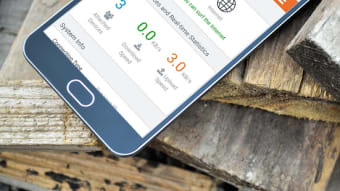
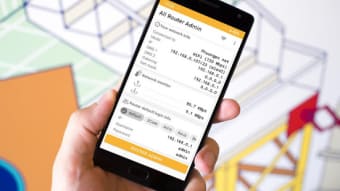
The app includes several features that can make it easier for you to take control of your Wi-Fi network. For starters, the dashboard displays an overview of your internet status. Here, you can check your default gateway, link speed, IP address, and more. There’s also a chart where you can monitor the network speed in real-time. The details are presented in a way that is easy to follow.
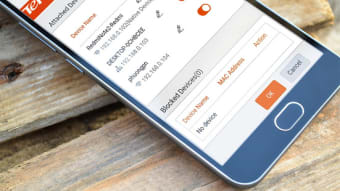
Apart from monitoring, you can also use this app to take action on network security. With this Wi-Fi manager, you can change the default or current password of your router, block users, and restrict access to some websites. The large space dedicated to ads, nonetheless, is a major drawback of the app. This feature, to say the least, is a distraction—not to mention the ads are irrelevant and repetitive.
For home and office
If you’re looking for an easy way to monitor your LAN, All Router Admin - Setup WiFi is worth a shot. Despite the issues regarding ads, it is still a good option for home or the office. This free app gives you full control over your router—including changing the password. What’s more, you can check the status of your network on a no-frills dashboard.


.png)